负责:开放能力导航栏模糊搜索
触发开能力下拉框之后,实习一个对三级菜单的模糊搜索
效果图
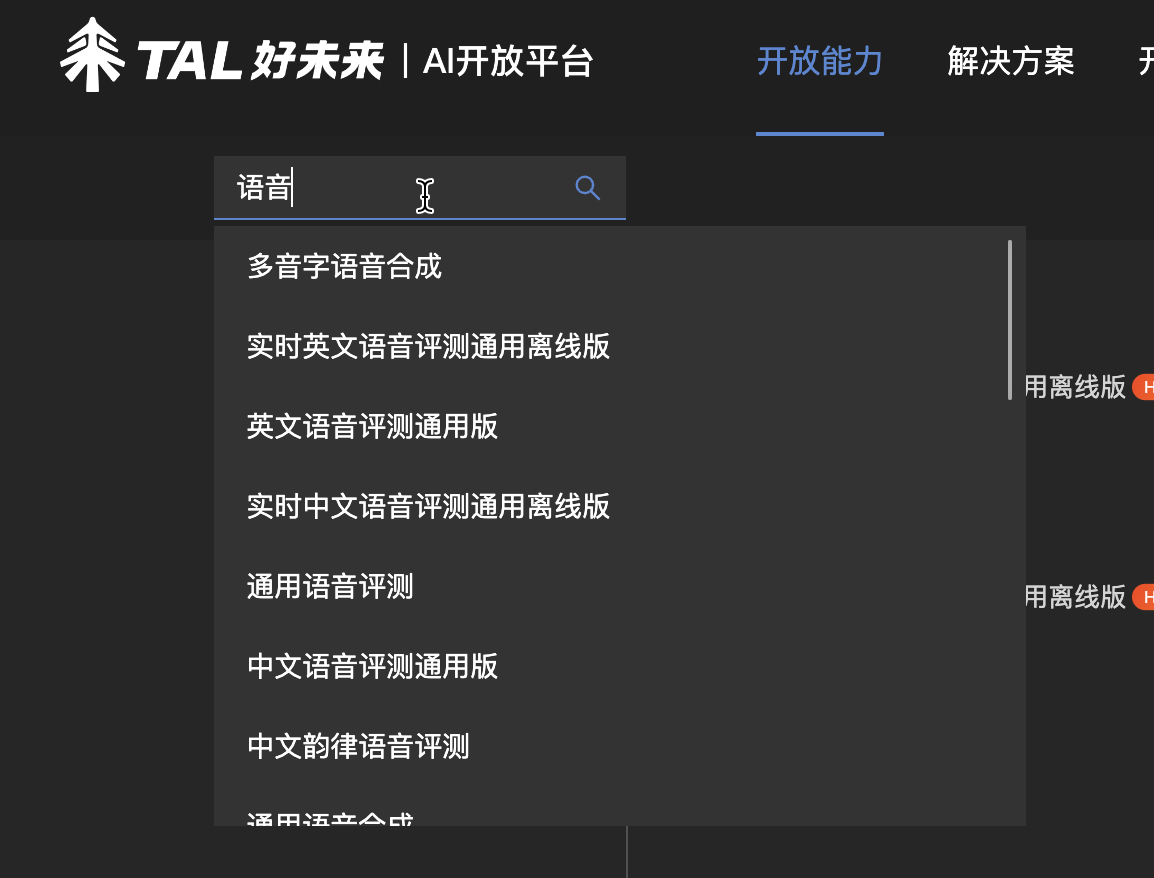
问题/难点:
(1)纯前端实现模糊搜索
(2)利用防抖包裹输入框 changeValue 的函数
实现:
问题(1)
1、利用递归将整个导航栏 json 文件便利,将所有三级标题 push 到一个数组中
1
2
3
4
5
6
7
8
9
10
11
12
13
| const list = navigatorData.ability.list
let middle = []
const initAbilityData = (data) => {
Object.keys(data).forEach((key) => {
if (data[key].children) {
middle.push(initAbilityData(data[key].children))
} else {
middle.push(data[key])
}
})
}
initAbilityData(list)
|
2、将输入框的 value 分割成字符串数组以便后续使用
1
2
3
|
let abilityValue = e.target.value.split('')
|
3、建立匹配度并根据匹配度排序
1
2
3
4
5
6
7
8
9
10
11
12
13
14
15
16
17
18
19
20
21
22
23
24
| const matchDegree = (abilityData, abilityValue) => {
let middleData = abilityData
for (let i = 0; i < middleData.length; i++) {
middleData[i].matchDegree = 0
for (let k = 0; k < abilityValue.length; k++) {
let index = middleData[i].label.indexOf(abilityValue[k])
while (index != -1) {
middleData[i].matchDegree += 1
index = middleData[i].label.indexOf(abilityValue[k], index + 1)
}
}
}
middleData.sort((a, b) => {
return b.matchDegree - a.matchDegree
})
let realData = middleData.filter((item) => {
return item.matchDegree !== 0
})
setAbilitySearchData(realData)
}
|
问题(2)
防抖
1
2
3
4
5
6
7
8
9
10
|
function debounce(fn, delay) {
let timer = null
return function () {
if (timer) {
clearTimeout(timer)
}
timer = setTimeout(fn, delay)
}
}
|
节流
1
2
3
4
5
6
7
8
9
10
11
12
13
14
15
16
|
function throttle(fn, delay) {
let valid = true
return function () {
if (!valid) {
return false
}
valid = false
setTimeout(() => {
fn()
valid = true
}, delay)
}
}
|